
Schedule the rooms, resources and services you need, quickly and easily. Better manage your meeting rooms, keeping your cool with information at the ready.
Break free from legacy debt. We engineer seamless digital experiences, modern cloud-native architectures, and AI-powered backends that accelerate performance across your front and back offices.
Single platform to book meeting rooms, services and equipments
EasyMeeting empowers your employees to book resources such as
meeting rooms, equipment, cafeteria services etc. in one streamlined workflow right from
their desk or mobile making it easier for your employees to meet.
EasyMeeting (Meeting Room Booking Software) helps you to maximize your meeting room
space, reduce administration time and introduce smarter booking processes into your
workplace. Take advantage of real-time room availability, approval workflows, and
reporting to empower your organization to transform into a digital work place.
Conflict-Free Meeting Room Booking
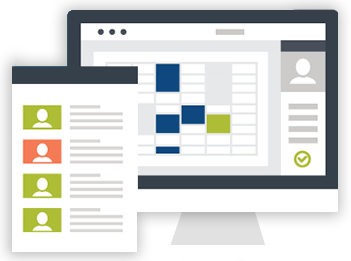
- Shows room availability at a glance and lets users make bookings quickly and easily.
- Lets users view rooms across multiple locations, making it ideal for booking video conferences and complex multi-location meetings in a few simple steps.
- Room booking supports both managed bookings, where users submit a booking request, and self-serve booking, where users can make their own booking
Meeting Resource Management
- Setup various catering or equipments and assign it to various meetings rooms or locations.
- Ability to search and book meeting rooms based on available services and equipment.
- Clearly view the status of catering and service orders along with the other information.
- Different items can be booked over the day as they are required and available, providing maximum use of resources and time.
Integration
- Two-way synchronization with Microsoft 365 Exchange or Google Workspace ensures that booking a room automatically blocks the calendar and adds meeting links.
- EasyMeetings is integrated with Apps Microsoft Teams allow users to reserve rooms directly via Teams calendar.
- For access control and security, EasyMeetings can be integrated with physical security platforms and Single Sign-On (SSO) providers for automated and secure access.
- EasyMeetings can be integrated with your Active Directory or HRMS system for smooth employee onboarding.
Reports & Analytics
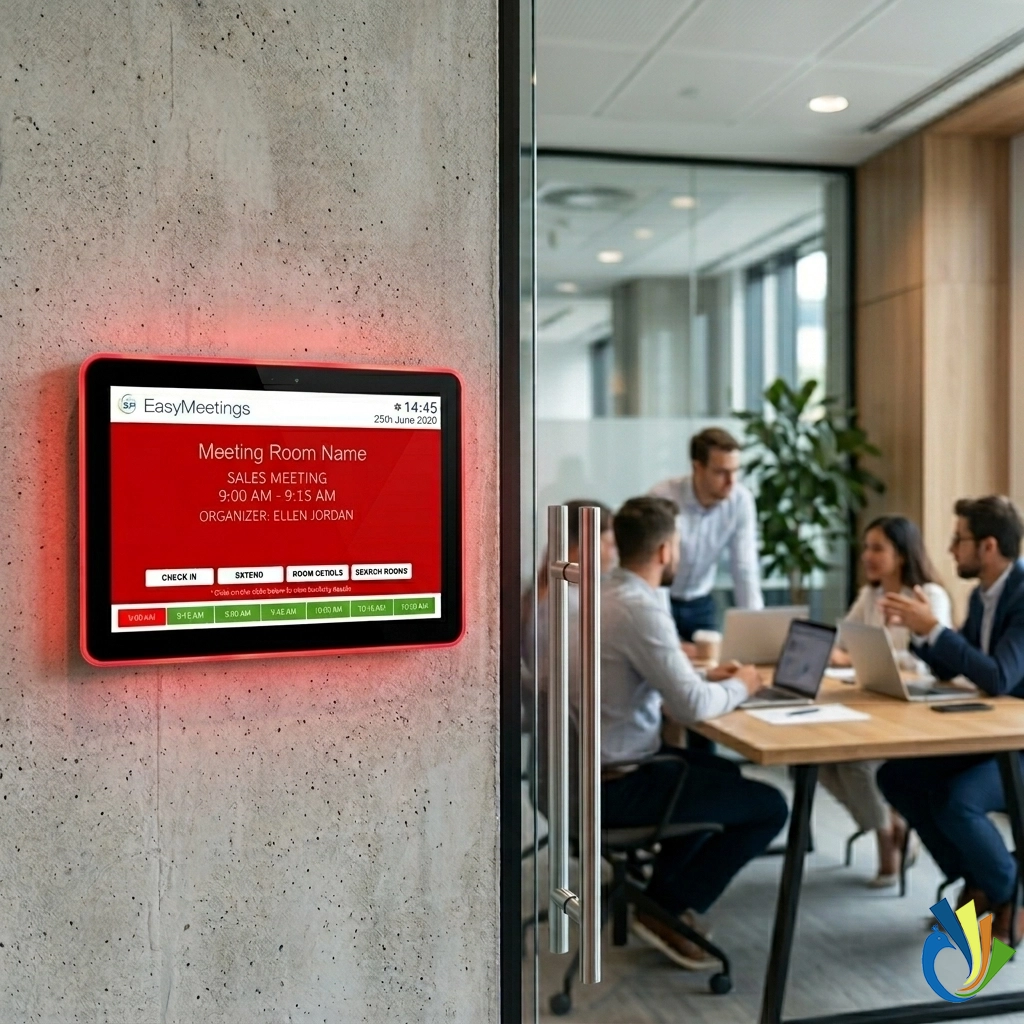
Fully integrated and synchronized digital meeting room signage helps users find
unoccupied meeting rooms in seconds and prevent meeting interruptions and booking
misunderstandings. Let
visitors know they're in the right place by displaying it on wall-mounted room signs
with at-a-glance room availability and real-time event information.
EasyMeetings reporting provides you with measurable data that shows how your workspace
performs when it comes to meetings and meeting rooms. See your office and meeting rooms
in full context with all available data about utilization so you can optimize available
spaces across the entire organization.
Check-In / Check-Out
Check in to the meeting room to enhance meeting room utilization instantly. No more no-shows. When the meeting is about to start, you simply tap the Check-in button to confirm that the room belongs to you. If the meeting finishes early, end it with one tap and the room is released and free for others to use. If the user doesn't check-in, the room is released to allow other users to book it. This is to make sure that the room is properly utilized. Sometimes meetings take longer than expected. If you need extra time, you can instantly view any upcoming bookings or availability, and extend the meeting with as much time is available, all from the intuitive display.
Use our display device or choose any device you like
EasyMeetings gives you flexibility to choose any android or ipad device and our EasyMeetings display application provides all the above features. If you are looking for POE based device, we provide 7 inches or 10 inches devices which comes with LED indicator for free/busy room status, wifi, wall or glass amount and RFID card reader for easy booking or check-in/out.
Room Finder or Floor View
Give people at your workplace a complete floor view of your office and meeting room status at a glance. You'll increase operational efficiency, enable people to meet more effortlessly, and let your employees spend time on what's important instead of helping others with directions. With RoomFinder, you no longer have to worry about employees searching for meeting rooms
Manage or book meeting rooms anytime and from anywhere
Now quickly search the right room, book it and even extend your meetings using our iOS
and Android mobile app.
Our Mobile App offers Check-in and reminders so that
employees
can easily confirm their reservations.
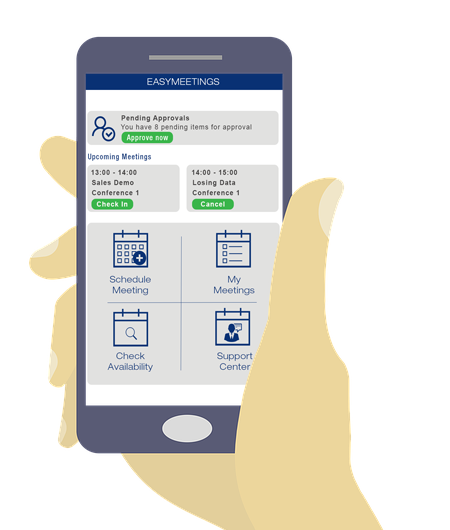
View available rooms, get reminders and schedule your meetings on the fly
EasyMeeting mobile app puts workplace tools into the hands of the user no matter where they are. Get ready to make check-in even easier and offer smarter ways to find spaces to book. Our mobile app offers Check-in, extend and reminders so that employees can easily confirm their reservations.
- Search for the best space by filtering for availability, amenities, capacity, and location.
- See agenda for the day and details about upcoming meetings
- Automatically or manually check into meetings on arrival.
- While in the meeting, take meeting notes, record attendance, and assign tasks and send the minutes of the meeting to all attendees without loosing a single point discussed
Improve visibility with the EasyMeetings mobile application and make sure your employees are getting the most out of your existing workspace facilities. Make your employees know about a variety of spaces, technologies and other amenities available in your offices.
Ambient Wall-Mounted Touch Displays
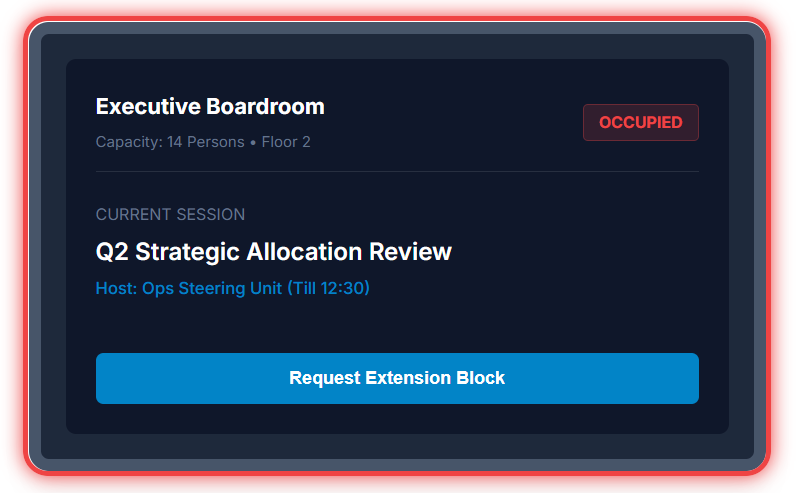
Eradicate physical meeting disruptions down to zero. Deploy responsive interactive tablet signage outside room entry frames to lock down continuous visibility paths for team groups.
- Auto-Release for No-Shows: Require users to tap check-in markers within 10 minutes of start time. If forgotten, the platform auto-releases blocks immediately.
- High-Visibility LED Tubes: Drive physical status updates across long halls via wrapped side-rail green, amber, or red structural status lights.
- Contactless NFC/Badge Reader: Support employee security card check-ins or quick mobile phone QR badge taps directly at the glass edge mount frame.
Get in-depth visibility of your meeting rooms and other resources usage
With EasyMeetings reporting and analytics solution, administrators can get real-time data
that can
closely monitor exactly how your meeting rooms are used right across the
organization.
View Utilization
EasyMeetings reporting provides you with measurable data that shows how your workspace performs when it comes to meetings and meeting rooms. See your office and meeting rooms in full context with all available data about utilization so you can optimize available spaces across the entire organization.
FAQs
Find answers to the most common questions about Meeting Room Booking (EasyMeetings)
- View current status of the meeting room
- Check all meetings scheduled in the meeting room
- Mark the room as occupied when you are using the meeting room
- Book ad hoc meetings while walking into the meeting room so that all meetings are tracked.
- Extend the booking time if needed.
- Room utilization
- Peak booking hours
- Frequently used rooms
- Department-wise usage
- No-show meetings
- Booking trends